How to Choose a Showit Template for Your Photography Business
Choosing a website template is one of those decisions that feels bigger than it is, until you pick the wrong one and spend a month fighting it. The right Showit template should feel like it was built for the kind of photography you already do, so all you have to do is add your images and your words.
Here is how we recommend photographers choose, plus a quick guide to which of our templates fits which kind of work.
1. Start with who you photograph
A wedding photographer, a senior photographer, and a brand photographer are all selling something different, so their websites need to do different jobs.
- Wedding and elopement photographers need room for full stories: galleries that flow, testimonials from couples, and a clear path to inquire.
- Senior photographers are speaking to teens and their parents at the same time. Bold, fun energy for one, clear pricing and details for the other.
- Family and lifestyle photographers do well with warm, approachable layouts and a blog that shows real sessions.
- Brand and commercial photographers need to look polished and professional, with services laid out as clearly as a business proposal.
Before you look at a single template, write down who your ideal client is and what they need to see before they book. Then look for a template that was designed with that person in mind.
2. Let your photos lead
Your portfolio is your best sales tool, so the template should get out of its way. Look for large, full-width images, plenty of white space, and galleries that show several images from the same session.
Then think about your editing style. Light, airy work looks beautiful in bright, soft layouts. Moody, rich editing often looks even better against a darker background. The best way to know is to picture (or test) the template with your photos, not the demo images.
3. Look past the home page
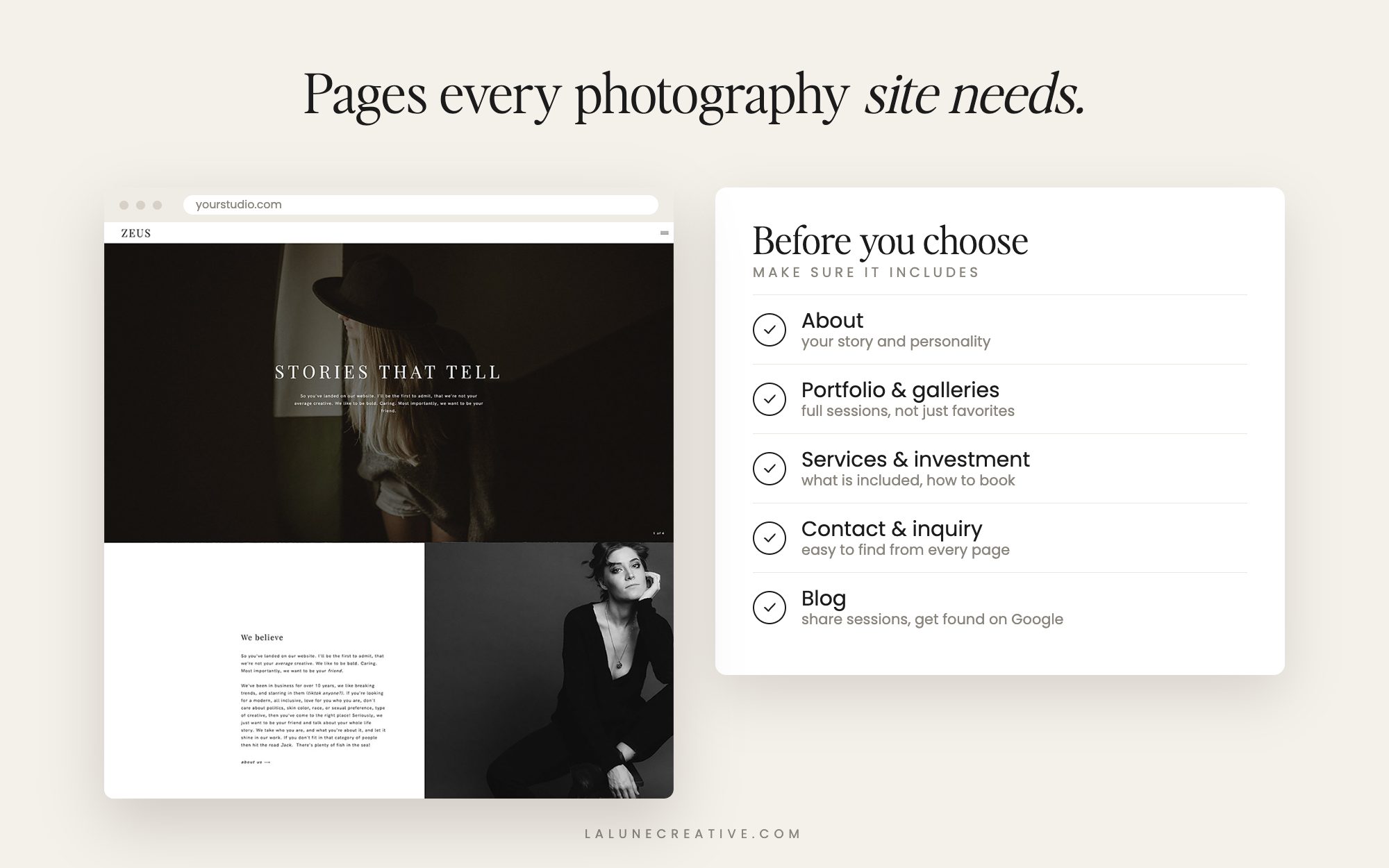
It is easy to fall in love with a home page. But clients spend just as much time on your other pages, and those are where they decide to book. Check that the template includes:
- An about page that lets you show your personality, not just your résumé.
- Portfolio or gallery pages for full sessions, not just a grid of single favorites.
- A services or investment page where you can explain what is included and set expectations on pricing.
- A contact or inquiry page that makes reaching out feel easy.
- A blog for sharing sessions and helping clients find you on Google.
Extras like a link-in-bio page for Instagram, a freebie opt-in, or dedicated single-service pages can save you a lot of work later.
4. Plan for how clients find and book you
Think about the path a new client takes: they find you, look around, and decide to reach out. A good template makes that path obvious, with calls to action that lead to your inquiry form from every page.
If you want to be found on Google, make blogging part of your plan. Sharing real sessions (“Spring Senior Session at Centennial Park”) is one of the easiest ways for a photographer to show up in local search.
5. Choose structure over colors and fonts
In Showit, you can change colors, fonts, and images in a few clicks. What is harder to change is structure: the pages included, how the galleries are laid out, how the home page flows. Pick the template whose structure fits your business, then make it yours with your own brand.
6. Check it on your phone
Most of your visitors will see your website on a phone first. Open the live demo on your phone and scroll through it. Is it easy to read? Do the images look good? Can you find the contact page quickly? Showit lets you design the mobile version separately, so a good template will already have a polished mobile layout.
Which La Lune template fits your work?
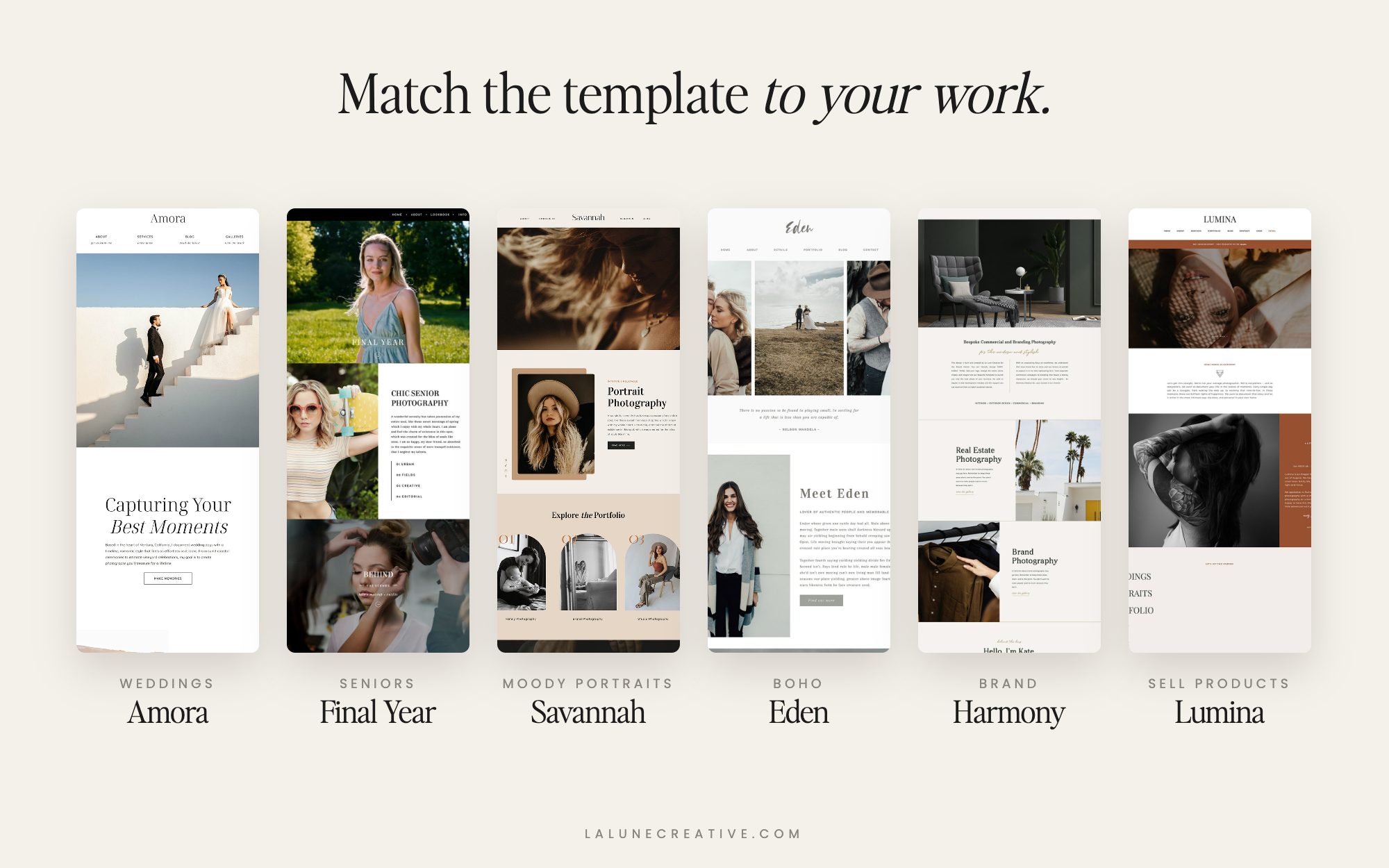
Here is a quick guide to our photography templates:
- Timeless wedding photography: Amora, with soft, light layouts and plenty of white space.
- Bold wedding and elopement work: Zeus, with oversized type, full-width imagery and a blog-driven stories section.
- High school seniors: Final Year, a luxe, modern design with a full-width video home page, designed with senior photographer Amanda Holloway.
- Moody, bold portraits and personal brands: Savannah, a dark, confident design, with the optional Savannah: Client Hub add-on for client resources.
- Boho and emotive work: Eden, earthy and minimal with a handwritten script.
- Warm, modern portraits: Cyprus, mid-century inspired with rich, earthy tones and dedicated service pages.
- Lifestyle photographers and bloggers: Lucy Skye, breezy and hand-lettered with a blog-first home page.
- Brand, interiors and commercial: Harmony, clean and Scandinavian-inspired, with service pages, a freebie opt-in and a link-in-bio page.
- Photographers who also sell presets, prints or education: Lumina, with a full set of shop pages alongside wedding and portrait services.
- Just getting started: Noah, a single-page design that is fast to set up and easy to keep updated.
You can see all of them side by side in our Showit templates for photographers collection. Every template is fully drag and drop and designed to look beautiful on every screen.
The short version
Pick the template built for your kind of client, make sure it has the pages you need to get booked, and trust that colors and fonts are the easy part. The right template should feel like home the moment you add your first gallery.
New to Showit? Sign up with our Showit referral link and you get your first month free when you create a new account. (Full disclosure: we get a free month too.)